A reliable website starts with reliable hosting plans. Your server affects page speed, security, uptime, email, and the experience visitors have on every page.
Yet many buyers still choose a package because the first-year price looks cheap.
That can become costly later. Low limits, weak support, missing backups, or high renewal charges often appear after the website is already live.
This guide explains plan types, key features, realistic costs, upgrade signs, and a simple way to choose with confidence.
What Are Hosting Plans?
Hosting plans are service packages that give a website space and computing resources on an internet-connected server. The provider stores your site files, databases, images, emails, and application data so people can access them online.
A package may include storage, monthly data transfer, CPU power, memory, email accounts, databases, SSL, backups, security tools, and a control panel. Limits vary because a small portfolio does not need the same power as a busy online store.
The provider is the company operating the servers. The package is the level of service you buy from that company. The right choice depends on your website size, software, expected traffic, business risk, and future growth.
Main Types of Hosting Plans
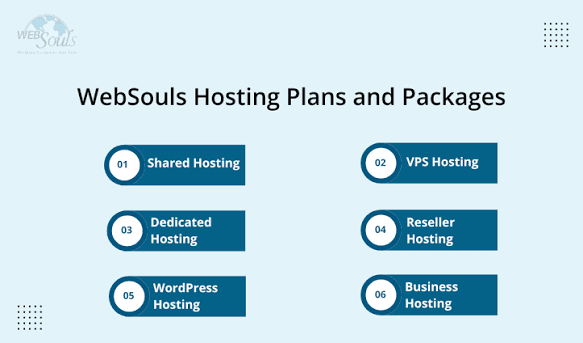
Shared Hosting
Shared hosting places several customer accounts on one server. Each website uses part of the server’s CPU, memory, and storage.
It is usually the easiest and most affordable option for a new blog, personal portfolio, landing page, or small company website. A control panel and one-click installer make setup simple.
The trade-off is lower resource control. A traffic spike or a heavy website may reach package limits sooner.
WordPress Hosting
WordPress hosting is designed or tuned for WordPress websites. It may include automatic updates, server-level caching, staging, malware checks, backups, and WordPress support.
It suits bloggers, service firms, publishers, and businesses that want easier management. Before buying, check whether “WordPress hosting” means real performance tools or only WordPress pre-installed on standard shared hosting.
VPS Hosting
A virtual private server divides a physical server into isolated virtual environments. You receive allocated RAM, CPU, storage, and greater control.
VPS is useful for growing websites, custom applications, busy membership sites, and online stores. It offers stronger performance than shared hosting, but management may require technical skill unless the service is fully managed.
Cloud Hosting
Cloud hosting uses resources across connected servers instead of relying on one machine. Capacity can often expand as traffic changes.
This makes it useful for campaigns, seasonal stores, news websites, and platforms with unpredictable demand. Check how scaling is billed because flexible resources can create variable costs.
Dedicated Hosting
Dedicated hosting gives one customer an entire physical server. It provides high capacity, deeper control, and more room for custom security or software.
Large companies, high-traffic platforms, and data-heavy applications may need it. The price and management workload are higher, so it is rarely the best starting point for a small website.
Important Features to Compare
The best hosting plans are not always the packages with the longest feature list. Compare what is included, how much you receive, and what happens when you reach a limit.
Start with SSD or NVMe storage, bandwidth, the number of websites, CPU and RAM allowances, databases, and email accounts. NVMe storage is now common in performance-focused packages because it can handle data requests faster than older disk technology.
Security should include an SSL certificate, malware scanning, account isolation, firewall protection, and secure backups.
This matters more in 2026 as large-scale DDoS activity continues to rise. Cloudflare reported 47.1 million DDoS attacks during 2025, more than double its previous annual total.
Also review the control panel, one-click application installation, migration support, server location, uptime commitment, refund policy, support channels, and upgrade options.
A content delivery network can reduce pressure on the main server and deliver files from locations closer to visitors. This can improve speed while reducing bandwidth use.
Be careful with the word “unlimited.” It normally operates under fair-use, file-count, CPU, memory, or acceptable-use limits. Read the resource policy instead of trusting the label.
Choosing a Plan for Your Website Type
Personal Blogs and Portfolio Websites
Entry-level shared or WordPress packages are usually enough. Look for SSL, automatic backups, email, simple management, and enough storage for images.
Avoid paying for advanced server resources that a small website may not use for several years.
Small Business Websites
A business site needs dependable uptime, professional email, security, responsive support, and room to add pages or traffic.
The cheapest package can be a poor deal if email, backups, SSL, or migration costs extra. It is often better to pay slightly more for clear limits and reliable support.
E-Commerce Stores
Stores need fast product pages, reliable databases, daily backups, payment compatibility, malware protection, and scalable resources. Slow checkout pages can hurt customer trust and sales.
Google states that Core Web Vitals are used by its ranking systems, although good scores alone do not guarantee top rankings.
For online stores, choose web hosting plans with clear CPU, RAM, database, and traffic allowances. Do not rely only on storage size.
Agencies and Developers
Agencies often need multiple websites, staging areas, developer tools, separate account access, free migration, and an easy way to manage clients.
A reseller, agency, cloud, or stronger WordPress package may provide better control than several separate entry-level accounts.
High-Traffic Websites
When shared resources cause slowdowns or repeated limits, VPS, cloud, or dedicated service becomes more suitable.
Select hosting plans for real traffic patterns rather than a vague promise of future growth. A clear upgrade path lets you start at the right level without becoming trapped in an unsuitable package.
How Much Do Hosting Plans Cost?
The cost of hosting plans changes by provider, server type, billing term, included features, and resource level.
Shared service is usually the least expensive. WordPress packages may cost more when they include managed updates, staging, security, or expert support. VPS, cloud, and dedicated servers rise in price as CPU, RAM, storage, and management increase.
Monthly billing offers flexibility but often has a higher monthly rate. One-, two-, or three-year contracts may reduce the advertised monthly cost. The important number is the full contract cost, including taxes and add-ons.
Check the introductory rate and the standard renewal charge. Add possible costs for:
- Domain registration and renewal
- Website backups
- Professional email
- Malware protection
- Website migration
- CDN usage
- Extra storage or traffic
- Managed technical support
HostBreak’s current website separates packages by website count, NVMe storage, data transfer, backups, email accounts, and support level. This shows why buyers should compare the full package rather than one advertised price.
Common Mistakes to Avoid
Many buyers compare hosting plans in a hurry and notice the limits only after launch. Avoid these common mistakes:
- Choosing the lowest price without checking CPU, RAM, storage, traffic, or website limits
- Ignoring renewal charges and optional add-ons
- Buying far more capacity than the website needs
- Selecting a package with no simple upgrade route
- Accepting weak or infrequent backups
- Overlooking response times and support channels
- Choosing a distant server when most visitors are local
- Treating “unlimited” as meaning no restrictions
- Forgetting email and database limits
- Skipping SSL, malware scanning, firewall, and recovery tools
- Paying for several years before testing service quality
Regular, secure backups and tested recovery procedures are core parts of website protection rather than optional extras.
A short trial or refund period is valuable. It gives you time to test the control panel, website speed, support quality, email delivery, and backup process before making a long commitment.
When Should You Upgrade Your Hosting Plan?
Upgrade when the current service begins to restrict normal business activity. Warning signs include:
- Slow pages during busy periods
- Repeated bandwidth or storage alerts
- Fast-growing visitor numbers
- Frequent downtime
- Database connection errors
- Poor performance after adding products or plugins
- A need for more email accounts or databases
- New security or compliance requirements
- Applications that need more server control
Do not wait for repeated failures. Moving to stronger hosting plans before a major campaign, product launch, or seasonal rush can reduce risk.
First, ask the provider whether the problem requires more resources or better website optimization. A badly configured website can remain slow even after moving to a larger server.
Hosting Plan Selection Checklist
Before purchasing hosting plans, ask these questions:
- How many websites can I host?
- What storage, traffic, CPU, and RAM limits apply?
- Is SSL included and renewed automatically?
- Are backups automatic, frequent, and easy to restore?
- What will I pay at renewal?
- Are professional email accounts included?
- Where are the servers located?
- Which malware, firewall, and DDoS tools are provided?
- Is website migration free?
- Can I upgrade without moving the website?
- Which customer support channels are available?
- Is there a trial or refund policy?
Compare at least three suitable website hosting packages. Use the same checklist for each one so attractive marketing language does not hide important differences.
Frequently Asked Questions
1. Which hosting plan is best for a new website?
A small shared or WordPress package is often enough. Choose one with SSL, backups, email, reliable support, and an easy upgrade path.
2. Is unlimited hosting really unlimited?
Usually not. Providers may still limit CPU, RAM, files, databases, or acceptable resource use. Always read the fair-use and resource policies.
3. Should I pay monthly or yearly?
Monthly billing offers lower commitment. Yearly billing may provide a lower monthly rate. Compare the full first-term price, renewal cost, and refund rules before paying.
4. Does hosting affect SEO?
Hosting can affect speed, uptime, security, and user experience. These factors support website quality, but hosting alone cannot guarantee higher search rankings.
5. When should an online store move to VPS or cloud hosting?
Consider upgrading when traffic spikes cause slow pages, checkout performance drops, resource warnings appear, or shared hosting can no longer provide stable performance and security.
Final Thoughts
The right hosting plans support speed, security, stability, and steady growth. A small website may work well on shared service, while a growing store or busy platform may need VPS or cloud resources.
Compare real limits, backup quality, renewal charges, server location, support, and upgrade options. The lowest advertised price is not always the best long-term value.
Ready to choose with confidence? Review HostBreak’s available packages and match the resources to your website’s current needs. Contact the support team when you need help comparing options.
A careful choice today can prevent slowdowns, unexpected costs, security gaps, and difficult migrations later.
Share this content:
Post Comment